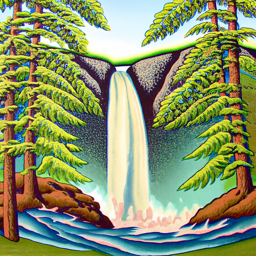
"A lithograph of a waterfall" (50 steps)
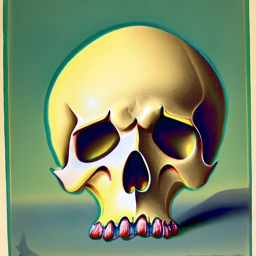
"A lithograph of a skull" (20 steps)
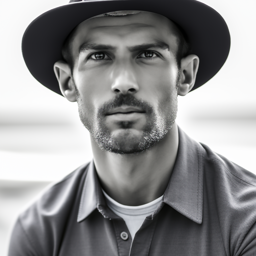
"A drawing of a man with a hat" (50 steps)
This project explores diffusion models for image generation and manipulation. We implement the forward noising process, classical and neural denoising, classifier-free guidance, and various image editing techniques including inpainting, image-to-image translation, visual anagrams, and hybrid images.
I was having trouble so I decided to use the prompts already generated. I generated the following images using different prompts:
I used the same random seed of 723 for all parts. The drawing of a man with a hat seems to look the best. It may be because it is asking for something that looks like a photo instead of asking for a lithograph which usually is not as realistic or full of details.
We implemented a forward function to add noise to an image based on the timestep. Here are the outputs for the campanile at noise levels 250, 500, and 750 (out of 1000). The original campanile image is also shown:


We can see that as the noise level increases, the image becomes more and more noisy.
We show the Gaussian denoised versions of the above photos. Here are the outputs for the campanile at noise levels 0, 250, 500, and 750:


We added some noise and used a 1-step denoising model using a UNet to try and denoise the image. The results are as follows:


We can see that the denoised campanile is fairly close, with the lower noise levels being the closest.
We created strided timesteps starting at 990 with a stride of 30, eventually reaching 0. The campanile at every 5th loop of denoising looks like this:


We used the iterative denoising model to create 5 sampled images by denoising iteratively from Gaussian noise:


We implemented the iterative_denoise_cfg function to denoise images using the conditional prompt "a high quality photo" with a CFG scale of 7 against the null prompt. The results are as follows:


I tried using image-to-image translation to edit images using the prompt "a high quality photo" with a CFG scale of 7. The results are shown at noise levels [1, 3, 5, 7, 10, 20]:


I also tried editing some hand drawn and web images with the same prompt "a high quality photo":


I implemented the inpainting function and tried inpainting images with custom masks:


The mask is the box in the top middle of the image. It is most apparent in the campanile image because it fits the shape of the campanile and thus seems to have more room to change whereas the other images could not change as much due to have to match the surroundings
I used image translation to transform images with the prompt "a photo of a rocket ship":


We created visual anagrams where we can see two different images when we flip it upside down:


When you flip these images upside down, you can see a completely different image! The first shows a man right-side up and a campfire when flipped. The second shows a skull right-side up and a snowy village when flipped.
Finally, we created hybrid images that show different content when viewed from close up vs far away:


The second hybrid looks like a man up close, but the way that the torso is shaped/missing along with the beard looking like teeth makes it look like a skull from far away.